
Software Development
Custom Software Planning: A Step-by-Step Guide Before You Start Development
Skipping the planning phase is why most custom software projects fail. Here's how to plan yours right — before development even starts.
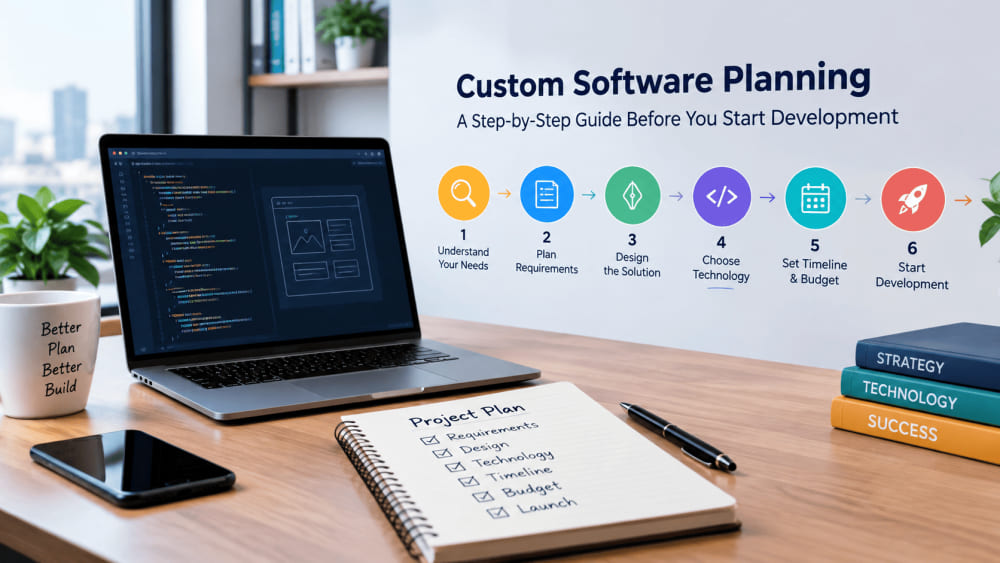
Before building custom software, define your goals, map user needs, set a realistic budget, choose the right tech stack, and create a clear project roadmap. Proper planning prevents costly delays, scope creep, and mismatched expectations later.
Every failed software project has one thing in common: someone skipped the planning phase. Maybe the client was in a hurry. Maybe the development team wanted to "start coding and figure it out along the way." Either way, the result is usually the same — missed deadlines, ballooning budgets, and a final product that doesn't quite solve the problem it was supposed to solve.
If you're about to invest in custom software for your business, the single best thing you can do before writing a single line of code is plan properly. This guide walks you through exactly how to do that.
Why Planning Matters More Than People Think
It's tempting to jump straight into development, especially when you're excited about an idea or under pressure to launch fast. But custom software isn't like buying off-the-shelf tools — it's built from scratch to solve your specific problem, which means every decision you make (or skip) early on has a ripple effect later.
A rushed planning phase usually leads to:
Scope creep — features get added mid-project because nobody defined the boundaries upfront
Budget overruns — vague requirements mean vague estimates, and vague estimates rarely stay accurate
Missed deadlines — teams build, then rebuild, because the original direction wasn't clear
A mismatched final product — the software works, but it doesn't actually solve the business problem it was meant to
None of this is inevitable. It's simply what happens when planning is treated as optional instead of foundational.
Step 1: Define the Problem, Not Just the Solution
Before you think about features, screens, or tech stacks, get clear on the actual problem you're solving.
Ask yourself:
What's broken or inefficient in our current process?
Who is affected by this problem, and how often?
What does success look like once this software exists?
A lot of companies skip straight to "we need an app" without clearly defining why. That's backwards. The clearer your problem statement, the easier every other decision becomes.
Step 2: Identify Your Users and Their Needs
Custom software is only useful if the people using it actually want to use it. Before development starts, map out:
Who your primary users are (internal staff, customers, partners, etc.)
What tasks they need to accomplish
What their current workaround looks like (spreadsheets, manual processes, other tools)
What would make their day-to-day easier
This step often gets rushed, but it's where the most valuable insights come from. Talking to five real users for 20 minutes each will teach you more than any amount of internal guessing.
Step 3: Set Clear, Realistic Goals
Vague goals like "make things more efficient" don't give your development team anything to build toward. Instead, define specific, measurable outcomes.
For example:
Reduce manual data entry time by 50%
Allow customers to self-serve instead of calling support
Consolidate three disconnected tools into one platform
These goals become your north star throughout the project — and they make it much easier to say "no" to feature requests that don't actually move the needle.
Step 4: Outline Core Features (and Resist Feature Creep)
Once your goals are clear, list out the features needed to achieve them. A helpful trick here is separating features into three buckets:
Must-have — the software doesn't work without these
Should-have — important, but not launch-blocking
Nice-to-have — future additions once the core product is live
This structure keeps your first version (often called an MVP, or Minimum Viable Product) focused and achievable, instead of trying to build everything at once.
Step 5: Set a Realistic Budget and Timeline
Budget and timeline conversations go much smoother when they're based on defined requirements rather than rough ideas. Before approaching a development company, have a general sense of:
Your available budget range
Your ideal launch timeline
Any hard deadlines tied to the business (a product launch, a compliance date, a busy season)
Being upfront about constraints helps your development partner recommend the right approach — whether that's a phased rollout, a leaner MVP, or adjusting scope to fit your timeline.
Step 6: Choose the Right Tech Stack
This is usually where a development company gets involved directly, but it helps to understand the basics. The right technology choice depends on:
The type of software (web app, mobile app, internal tool, integration-heavy platform)
Expected scale and future growth
Integration needs with existing systems
Long-term maintenance and support requirements
Avoid choosing technology based on trends alone. The best tech stack is the one that fits your specific project — not necessarily the newest or most popular one.
Step 7: Create a Project Roadmap
With your goals, features, budget, and tech direction in place, the final planning step is mapping out a roadmap. A solid roadmap typically includes:
Project phases (discovery, design, development, testing, launch)
Key milestones and review points
Who's responsible for what, on both your team and the development team
A realistic timeline with built-in flexibility
This roadmap becomes the shared reference point that keeps everyone — your team and your development partner — aligned from day one.
Final Thoughts
Planning custom software isn't the exciting part of the process, but it's the part that determines whether everything after it goes smoothly. Taking the time to define your problem, understand your users, set clear goals, and build a realistic roadmap will save you far more time, money, and frustration than it costs upfront.
If you're considering custom software for your business, the best next step isn't picking a developer — it's getting your planning right first. A good development partner will actually help you through this process, not skip past it.
Questions answered
Article FAQ
Why is planning important before starting custom software development?
Planning helps you avoid scope creep, budget overruns, and mismatched features. It ensures your development team understands exactly what to build, saving time and money in the long run.
How long does the software planning phase usually take?
It depends on project complexity, but most planning phases take anywhere from 1 to 4 weeks — covering requirement gathering, wireframing, tech stack selection, and timeline creation.
What should I prepare before contacting a software development company?
Have a clear idea of your business goals, target users, must-have features, budget range, and timeline expectations. The more clarity you bring, the smoother the planning process will be.
Turn perspective into progress
Apply this thinking to your product or platform.
Tell us where things stand today. We'll help turn the direction in this article into a practical plan — with a clear path from discovery to launch.
What to expect
- A review of your goals and constraints
- The highest-value place to start
- A sensible, staged delivery approach
No obligation, no automated sales sequence.